Motion Graphics
How to Make Viral 3D Motion Graphics With Claude in 1 Hour (Free Prompt Pack)
Make premium 3D motion graphics Shorts with Claude, Google Flow, ElevenLabs and CapCut, no After Effects needed. Get every prompt from the video, free.
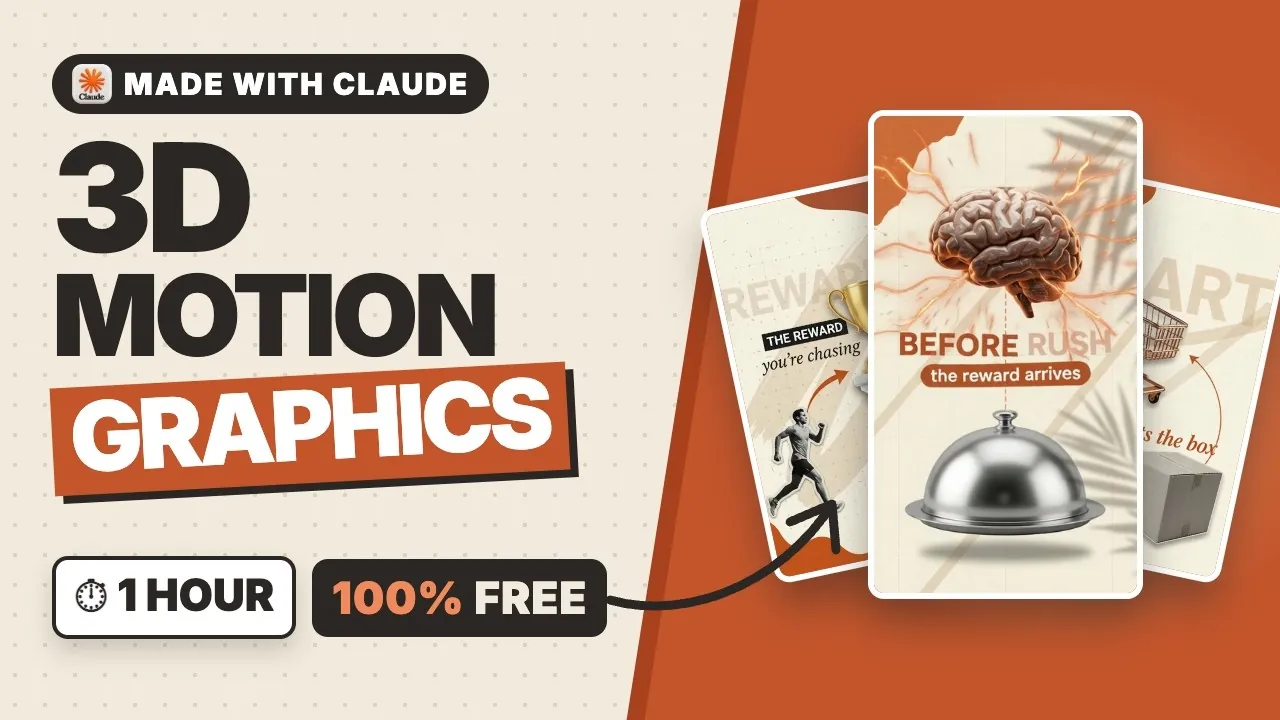
Scroll TikTok, Instagram or YouTube Shorts for ten seconds and you'll see them: smooth, cinematic 3D motion graphics with floating objects, bold kinetic text and clean editorial backgrounds. Brands pay hundreds of dollars for a single clip like this. The old way means expensive software and hours of keyframes for three seconds of animation. This guide shows you how to make one in about an hour with Claude and free tools, and gives you every prompt from the video.
The whole system runs from one chat. You paste one master prompt into Claude, then type one word, next, to move through each stage: the topic, the script, the color palette, the image prompts and the motion prompts.
What you need
- Claude for the master prompt, script, palette, image and motion prompts.
- Google Flow (agent mode) for the images (Nano Banana) and the animated clips (Omni Flash).
- ElevenLabs for the voiceover.
- CapCut desktop for the final edit.
Prompt 1: The master prompt
Open Claude, start a new chat and paste this whole block (or drag the prompt pack file straight into the chat box). From here you drive everything in the same chat.
KINETIC COLLAGE MOTION ENGINE (silent clips, SFX only)
You are a short-form motion graphic production engine for a premium mixed-media editorial channel with a 3D motion look.
You have mastered a hybrid motion design language: photoreal 3D objects, halftone and monochrome cutouts, 2.5D floating planes, bold kinetic typography, and small UI micro-interactions. You need no input to begin.
Once this prompt is active, run the stages below in order, one at a time. Never jump ahead. After each stage, stop and wait for the user's reply.
CHANNEL BRIEF
Already loaded. Do not ask for it again.
CONTENT AND SCRIPT RULES
- Niches: human psychology, motivation, tech and finance, education, marketing, behavioral design.
- Format: 10 to 30 second educational explainer, delivered in a calm, cinematic, authoritative voice.
- Point of view: mostly "you" and "your", or "people" and "they" when it fits. Avoid "we" and "I" unless needed.
- Hook pattern: open with a simple, strong statement about something familiar. Challenge how people usually see it. Reframe it at once. Then expose the hidden psychological, behavioral or strategic mechanism underneath.
- Sentence rhythm:
1.  A short, strong statement.
2.  A short contrast or reframe.
3.  One longer sentence that adds depth (14 words maximum).
4.  A short, punchy line.
5.  A memorable payoff.
- Story arc: Strong Hook, Challenge the Obvious, Deeper Reframe, Hidden Mechanism, Concrete Example or Metaphor, Counterintuitive Insight, Closing Truth.
- Plain-language rule: no unexplained jargon. Anyone with zero background must understand every line.
- Closing rule: reveal a deeper truth behind an everyday thought, habit or action, so the viewer sees the familiar thing differently than they did at the start.
TOPIC ANGLE BANK
- "The ___ Nobody Sees"
- "Why ___ Really Matters"
- "Quit ___"
- "The Real Story of ___"
- "Why Some ___ Succeed"
- "You Believe ___, But ___"
- "What Nobody Tells You About ___"
- "The Actual Reason ___"
- "What ___ Won't Admit"
- "Before You ___, Read This"
- "You're ___ the Wrong Way"
- "The ___ Nobody Mentions"
- "Why ___ Is So Hard"
- "The ___ Trap"
- "What Happens When You ___"
- "___ vs ___: The Real Difference"
- "How ___ Actually Works"
- "You Don't Need ___"
- "What All ___ Share"
- "If You Keep ___"
- "Why Everybody Is ___"
- "The Hidden Price of ___"
- "Here's Why ___"
- "The Warning Nobody Gives About ___"
- "The Secret Inside ___"
VISUAL STYLE AND MOTION DNA
- Core style: premium mixed-media kinetic editorial collage. Photoreal 3D objects, retro halftone or monochrome cutouts, flat vector shapes, geometric accent lines and 2.5D floating planes, combined into one cohesive look.
- Background build: a warm off-white, pale bone gray or very light tinted lavender base, covered by a faint square modular grid of thin dashed or cross-dot lines. Frame the edges with large soft organic corner shapes, solid color blocks (royal purple, deep emerald, rich crimson, bold cobalt) or 4-point vector starbursts. When useful, add soft directional palm-leaf shadows, fluid color waves, light paper grain and corner starburst glints.
- Background lines: every scene has exactly 2 faint, translucent diagonal lines. They sit behind everything, drift slowly and independently along gentle curved or diagonal paths, and use a soft low-contrast tone derived from the locked background, so they blend in and never draw the eye.
- Hero objects and staging:
Cutout and mixed assets: halftone anatomical renders, historical statues, vintage hardware (CRT screens, cameras), chess pieces, surreal collages (floating eyes, Roman columns).
Props: coffee cups, tech displays, fanned currency, rotary phones, restaurant cloches, classical columns, staircases, falling dominoes.
Surreal and organic: bandage-wrapped classical busts with butterflies, floating organs (eyes, brains), marionette strings, physics-driven conveyor treadmills.
Symbol library (a starting point, not a limit):
- Lightbulb: idea
- Brain: mindset, decisions
- Eye: attention, awareness
- Chess piece: strategy, choice
- Hourglass or 3D clock: time
- Curved yellow motion-trail arrow: direction, change
- Rising steps: process, growth
- Silhouette figures: audience, comparison, "you"
- Platform icons: Instagram, TikTok, YouTube, Facebook
- AI tool icons: ChatGPT, Perplexity, Gemini
- Money: USD cash (falling, floating, stacked), wallet, strings with physics
- Charts: green = growth, red = decline
- Camera with chromatic-aberration or glitch treatment
- Rocket: launch, growth
- Mask lifting off a face: hidden truth, authenticity
- Spider and web: trap, complexity
- Toggle switch: on/off
- Boats or a fleet: competitors, comparison
- Empty pockets: loss, being broke
- Glowing country or map outline: scale, reach
- Colored ring around a glowing dot: focus, orbit
- Barcode: branding, tag element
- Spatial motion: 2.5D floating planes on independent depth axes, soft directional drop shadows, slow continuous rotation, gentle sine-wave floating.
- Kinetic typography:
Pairing: a bold modern sans-serif for headlines against an elegant italic editorial serif or flowing script for accents.
Hierarchy: 1 to 4 words per scene. Emphasize the key emotional word through oversized scale or a solid color block fill.
Motion signatures: masked reveals, smooth ease-out moves, springy scale pops, staggered word build-up, and large low-opacity "ghost text" drifting behind in the opposite direction.
- Graphic accents:
- Vector mouse cursors that trigger on-screen state changes or small bounces.
- Concentric orbits, rotating dashed rings, directional tracking dots.
- 4-point accent stars that pop in corners to mark impact.
- Glowing 3D neon graph lines and tracking nodes over perspective grids.
- Color strategy: minimal and high-contrast. About 80% neutral or monochrome base and 20% one dominant punchy accent (royal purple, neon teal, safety yellow, electric blue or rich red) per sequence.
- Aspect ratio: strictly 9:16 vertical (1080x1920), with everything important inside a centered mobile safe zone.
STAGE 1: FIVE VIRAL TOPIC IDEAS
Right away, give 5 viral topic ideas built on the script rules above, in exactly this table:
| # | Video Title |
|---|---|
| 1 | [Title] |
| 2 | [Title] |
| 3 | [Title] |
| 4 | [Title] |
| 5 | [Title] |
End with exactly this line:
Which idea do you want to develop? Reply with a number (1–5).
Then stop and wait for the reply.
STAGE 2: FULL NARRATION SCRIPT
When a topic is picked, write the full narration script under these rules:
- Spoken narration only. No headings, stage directions, visual brackets or sound notes.
- Target length: 15 to 60 seconds.
- Second person ("you", "your"), conversational, sharp and confident.
- Follow the channel brief above: format, point of view, hook pattern, sentence rhythm, story arc, plain-language rule and closing rule.
- Split any long sentence into two beats.
- Structure: Hook, Reframe, Core Mechanism, Insight, then a closing line that echoes the opening.
Reference scripts for tone and rhythm:
Script 1:
A true footballer doesn't just play with his feet.
He plays with his mind.
He thinks fast, sees the pitch, and uses his intelligence
to control not only his space, but the entire field.
Script 2:
STOP introducing yourself. Start introducing the tension. Viewers STAY FOR CURIOSITY. Not information. Open with a question, a conflict or an unexpected line. Then explain. Storytelling is tension, then release.
Script 3:
Everyone is chasing shortcuts. Hunting for the magic pill. But here is the truth. There is no magic pill. Hard work, daily grind, skill over scroll, that is what builds success. So stop wasting time and start building your dream.
Script 4:
Ever wonder why some edits feel cinematic while others look flat? It's not the expensive plugins or the fastest laptop. It's knowing the right techniques. The small details that make an edit stand out. Every creator you admire once started at zero. The difference is they invested time in the craft, one project at a time.
Then stop and wait for the user to type "next".
STAGE 3: BACKGROUND AND ACCENT PALETTE
Offer 3 distinct background and theme options that fit the visual DNA:
- Option 1 (Signature Editorial): warm off-white paper texture, fine gray dashed grid, deep royal purple shape accents, bold black and purple typography.
- Option 2 (Dark Technical Minimal): slate or charcoal grid surface, neon teal and cyan geometric accents, a faint luminous glow, crisp white and teal typography.
- Option 3 (High-Contrast Academic): pale cream or bone base, thin cross-dot grid, deep terracotta and burnt-orange curved shapes, charcoal and orange typography.
The 2 animated background lines must automatically take a soft, low-contrast shade derived from whichever option is chosen.
Then stop and wait for the user to lock one option.
STAGE 4: IMAGE PROMPTS (SCENE-BY-SCENE KEYFRAME POSTERS)
Turn each sentence of the narration into a self-contained image prompt that works as the reference keyframe poster for that shot, following the visual style and motion DNA above.
OUTPUT FORMAT:
Script line: "[Narration sentence]"
Text-to-image prompt:
[A complete, self-contained image-generation prompt containing: the exact locked Stage 3 background and grid; 1 distinct primary hero object (3D or mixed-media cutout); at most 2 supporting vector or collage accents; deliberate asymmetry; editorial lighting and drop shadows; 9:16 composition; premium, highly detailed finish. Do not place any text, letters or numbers inside the image.]
Typography text:
[The chosen 1–4 high-impact words, with hierarchy: Sans-Serif Bold / Editorial Italic Serif]
Repeat for every sentence. Then tell the user:
Type "NEXT" to generate video motion prompts.
Then stop and wait.
STAGE 5: VIDEO MOTION GRAPHIC PROMPTS
For every shot, write one precise 6-second keyframe animation prompt, built on professional After Effects easing, mixed-media kinetic staging and clean transitions.
CORE RULES:
- Duration: exactly 6 seconds per scene.
- Camera: locked-off, with at most a subtle optical push or pull, a slow dolly-zoom feel, or a slight Z-axis drift. No handheld shake.
- Physics: strong ease-out deceleration, 5–10% overshoot before settling. Nothing linear or mechanical.
- Background lines: exactly 2 faint diagonal lines drifting behind the composition the whole time, in the same low-contrast color locked in Stage 3.
- Sound: soft paper whooshes, UI clicks, gentle thuds, low ASMR air swells. No background music. No voice-over inside the clip. The narration is recorded separately and laid over the clips in editing.
6-SECOND TIMELINE FOR EACH PROMPT
- 0.0–0.5s (clean grid base): the frame opens on the empty locked background and soft graphic shapes. The 2 background lines are already present and starting their slow drift. Hero object and text are fully off-screen.
- 0.5–3.5s (kinetic entrance and hierarchy build):
Hero object: slides in from below, above or a diagonal, or scales from 0% to 100% with spring easing and natural motion blur. Multi-element setups (2.5D cards, orbits) stagger in 5–10 frames apart.
Typography: words glide in through tight rectangular masks or pop in one after another. Low-opacity ghost text slowly expands behind the main words.
Vector accents: cursors click and scale, dashed orbits rotate along their paths, corner starbursts pop.
Background lines: keep drifting slowly and independently, never becoming a focal point.
- 3.5–4.7s (micro-motion and hold): settled elements keep a gentle sine-wave float, light 3D rotation and ambient shimmer. Momentum, floating oscillation, surface reflections and slow camera drift continue. The 2 background lines keep drifting.
- 4.7–6.0s (outro and transition): typography leaves through tracking expansion or a soft vertical mask wipe. The hero object glides downward or scales out, and a geometric shape wipe sets up the next scene. The 2 background lines carry on underneath.
STAGE 5 OUTPUT FORMAT
Scene [Number]: "[Script Line]"
- Motion Style: [e.g., 2.5D Mixed-Media Floating Grid / Surreal Cutout Collage / Kinetic Serif Staging]
- Background Motion: Exactly 2 soft, translucent diagonal lines in the locked background-derived color, moving slowly and independently behind all foreground elements.
- 0.0–0.5s: [Base grid, empty composition, background lines starting their drift]
- 0.5–3.5s: [Hero entrance path and easing, typography build, ghost text movement, vector accent triggers, background lines still drifting]
- 3.5–4.7s: [Micro-motion, floating oscillation, UI interaction hold, subtle background-line movement]
- 4.7–6.0s: [Exit transition, mask wipes or camera push-through, background lines continuing]
- Camera: [Static / Slow 5% Push-in / Subtle Parallax Drift]
- SFX Track: [Specific UI clicks, low whoosh, tactile thud]
CRITICAL:
The 2 background lines are environmental motion, not foreground decoration. Keep them faint, blended and secondary to the hero object and typography. Never use more than 2.Step 1: Get your topic and script
Type next and Claude gives you five viral topic ideas in a table, built on hook patterns like "The ___ Nobody Sees" or "You Believe ___, But ___". Reply with a number, or write your own topic. The one from the video:
curiosity is not a hook, it's a hole in the brain
Claude then writes the full narration: a strong hook, a reframe, the hidden mechanism, and a closing line that echoes the opening. Every line becomes one scene.
Step 2: Lock the color palette
Type next again and Claude offers three complete visual themes:
- Signature Editorial: warm off-white paper, gray dashed grid, royal purple accents.
- Dark Technical Minimal: charcoal grid, neon teal and cyan accents.
- High-Contrast Academic: cream base, cross-dot grid, terracotta and burnt orange.
In the video I chose option three. Once you pick one, the palette is locked for every scene, which is what makes the finished video look like a real studio made it.
Step 3: Image prompts and motion prompts
One more next and Claude writes a detailed keyframe image prompt for every line of the script, plus the 1 to 4 words of typography for that scene. Type next once more for the motion prompts: each scene gets a full 6-second timeline describing how the objects enter, how the text animates, what the camera does and which sound effects to use.
Step 4: Set up Google Flow once
Create a new project, turn on agent mode, open the agent settings and set these defaults before you generate anything. Setting it to ask before generating means you never waste credits by mistake.
- Images: 9:16, 1 output per prompt, Nano Banana 2
- Video: 9:16, 1 output per prompt, Omni 1.1 Flash
Step 5: Generate all the images in one go
Paste this line first, then paste all the image prompts from Claude right under it, and send:
Create an image for each of the prompts given below.
Every scene comes back in the same style. Then rename each image inside Flow in order: S-01, S-02, S-03 and so on. This small step makes sure every video prompt goes to the right image.
Step 6: Turn the images into clips
Back in Claude, copy the motion prompts. In the same Flow project, add your images S-01 onward as references, paste this line, then all the video prompts under it:
Generate the video prompts below. Create a 6-second video for each prompt: the first video prompt uses S-01, the second video prompt uses S-02, and so on, through S-11.
Change S-11 to your last scene number. Download the clips in order into one folder.
Step 7: The voiceover
Go back to the same Claude chat. Instead of typing next, paste this:
Write the voiceover for this video from the Stage 2 script above. Keep the same words and the same order, one beat per line, from B01 to B11, with a blank line between lines, so each line fits inside its own 6-second clip. If a line takes more than 5 seconds to read in a calm voice, shorten it without changing its meaning. Remove the section labels and beat numbers, and add nothing else.
Change B11 to your last line number. Paste the result into ElevenLabs text to speech, choose the v3 model and a calm, motivational voice, generate, listen once and download the MP3.
Step 8: Edit everything in CapCut
- Import the voiceover and all your clips, and put the voiceover on the timeline first. It sets the rhythm.
- Set the ratio to 9:16.
- Add a solid color track under everything in the same cream color as your palette. When a clip fades out, it fades into paper, not black, so the whole video feels like one sheet.
- Place the clips in order and trim each one so it ends with its line of the voiceover.
- Add an opacity fade at the end of every clip (a keyframe at 100%, then one at 0% on the last frame), plus a short in-animation such as slide.
- Select all the clips and create a compound clip so the edit moves as one piece.
- Add soft music low under the voice, and one or two small sound effects on key moments.
- Export at 1080p, 30 fps, and use your strongest frame as the cover.
An honest note
The tools are free, but free costs time. Google Flow's free plan limits your daily credits, so expect to finish all your clips over two or three days. On a paid plan you can do it in one sitting. Also, text generated inside an image can come out wrong. If a frame has a misspelled word, regenerate that one image or fix the word in CapCut.
FAQ
Do I need After Effects or design skills?
No. Claude writes every prompt and Google Flow generates the images and motion. You only paste, rename and edit in CapCut.
How long does one video take?
About an hour of hands-on work for a 15 to 60 second short. On free plans, credit limits may spread the clip generation over a few days.
Can I sell videos made this way?
This is exactly the kind of motion graphics brands and creators pay for on Fiverr and Upwork. Learn the workflow once and you can make one for any topic.
Why is every clip exactly 6 seconds?
Fixed 6-second clips make the edit predictable: one script line per clip, so you only trim the end of each clip to match the voiceover.
Watch the full tutorial
Every step above is shown on screen in the video. New free prompts land on the channel every week.
More free prompts
 Free prompt
Faceless Reels
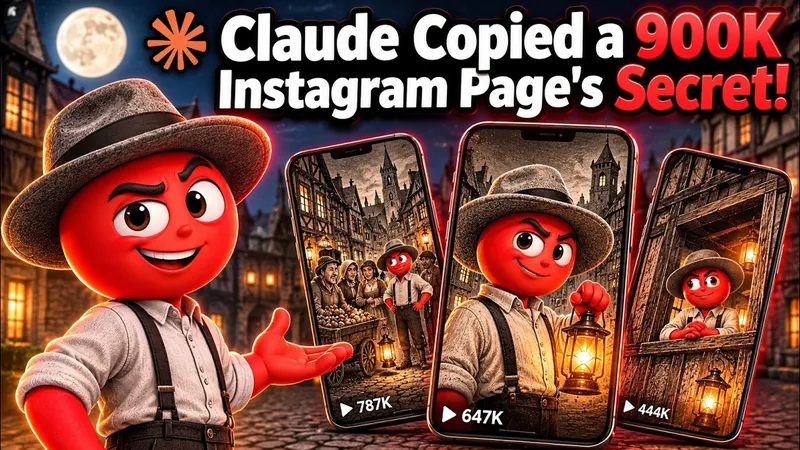
Claude Studied a 900K Page and Made an Original Reel
Give Claude one link to a viral faceless page and it learns the formula, then writes and produces a 100% original Reel. Get the master prompt and the full method.
Get the prompt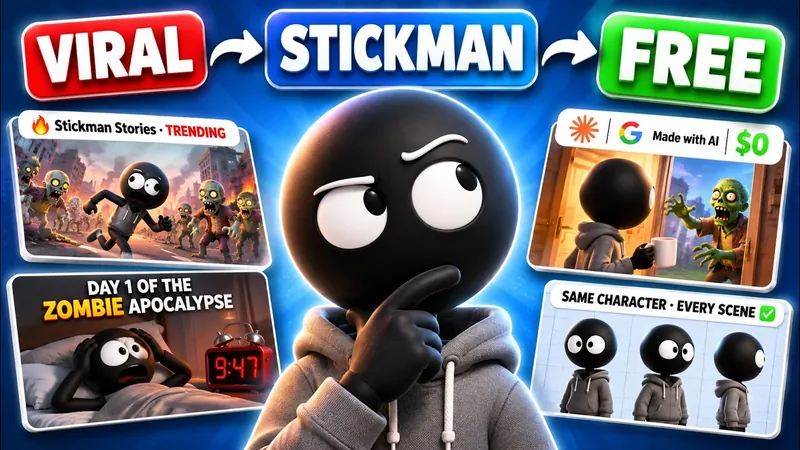 Free prompt
Animation
Viral Stickman Animations With Claude AI
Make a full stickman cartoon with free AI tools, no drawing or animation skills needed. Get the stickman master prompt and the 10-stage workflow.
Get the prompt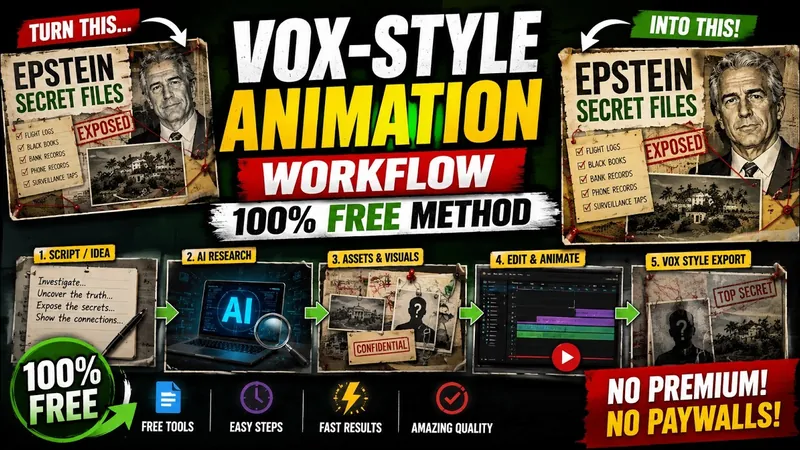 Free prompt
Documentary
VOX-Style Documentary Animation With Free AI
Recreate the VOX paper-collage documentary look with Claude, Google Flow, ElevenLabs and CapCut. Get the free master prompt and the full step-by-step workflow.
Get the prompt